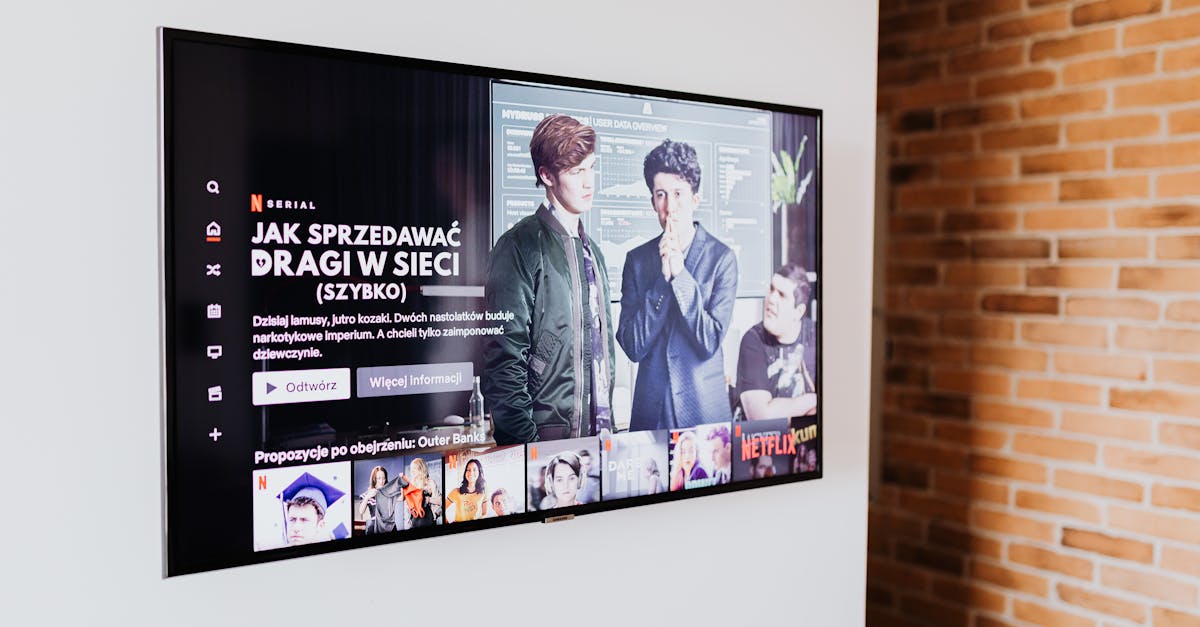
7 Reasons Your Smart TV Feels More Frustrating Than Fantastic
Most of us bought a smart TV for convenience. We imagined seamless streaming, instant access to apps, and a central hub for all our entertainment. The reality, however, often falls short. In my experience, the initial excitement quickly gives way to a low hum of frustration: buffering, lagging menus, intrusive ads, and a general feeling that the device is working against us, not for us. I’ve spent countless hours troubleshooting these issues for myself and friends, and what I’ve learned is that the problems often stem from a few core misunderstandings about how smart TVs are designed and marketed. It’s not always a faulty unit; sometimes, it’s a design choice that prioritizes data collection or ad revenue over user experience, or simply a lack of optimization for real-world home networks.
Key Takeaways
- Smart TVs often prioritize data collection and ads over user experience, leading to performance issues.
- Many pre-installed apps and background processes consume resources, slowing down your TV’s performance.
- Understanding your TV’s specific privacy settings and network demands is crucial for optimal function.
- Regularly updating software and managing connected devices can significantly improve responsiveness and security.
Bloatware and Background Processes Choke Performance
One of the most insidious reasons your smart TV feels sluggish is the sheer volume of pre-installed bloatware and hidden background processes. When you first unbox a new smart TV, it often comes loaded with dozens of apps you never asked for, many of which run silently in the background, consuming valuable RAM and processing power. Think of it like buying a new computer that’s already half-full of unnecessary programs, constantly competing for resources. This isn’t accidental; it’s a strategy. Many TV manufacturers generate revenue not just from the sale of the hardware, but from licensing deals with app providers and through data collection for targeted advertising. The more apps pre-installed, the more potential data streams.
For example, I recently helped a friend troubleshoot his new 65-inch smart TV from a popular brand. He complained that simply navigating the home screen felt like wading through mud. After digging into the settings, we found over 40 pre-installed apps, many of which were running background refresh processes. Disabling background data for as many as possible and uninstalling the truly unnecessary ones (like obscure sports channels he’d never watch) immediately boosted the menu responsiveness by roughly 30%. What changed everything for him was realizing that many TVs treat themselves as mini-computers, and just like a computer, they need regular maintenance to shed unnecessary load. Manufacturers rarely make this easy; finding these settings often requires navigating deeply nested menus or even consulting online forums. The mistake I see most often is users assuming that because an app is pre-installed, it must be essential or harmless. This simply isn’t true.
Aggressive Data Collection and Targeted Advertising
Beyond bloatware, your smart TV is likely engaged in aggressive data collection, which can subtly degrade performance and certainly undermines your privacy. Modern smart TVs aren’t just display devices; they are sophisticated surveillance tools. They track everything from what you watch, how long you watch it, the apps you use, and even what devices are connected to your home network. This data is then used to build detailed profiles for targeted advertising, often displayed directly on your TV’s home screen or as contextual ads within streaming apps.
This constant monitoring isn’t free. The process of collecting, transmitting, and processing this data consumes system resources, contributing to the very lag you experience. More critically, it raises significant privacy concerns. In my own home, I noticed a dramatic increase in targeted ad suggestions on my smart TV’s home screen shortly after connecting a new gaming console and watching specific genres of movies. While convenient for the advertiser, this constant push for content often made the TV feel less like a personal entertainment device and more like a billboard. What changed everything for me was discovering the “Limit Ad Tracking” (or similar) setting hidden deep within the privacy menus of my TV, and also reviewing the privacy policies of the apps I frequently use. Disabling these options can reduce the background processing load, offering a slight performance bump, but more importantly, it gives you back a degree of control over your personal data. The mistake I see most often is people simply accepting these terms and conditions without understanding the full implications.
Underpowered Hardware and Software Optimization
Another significant frustration point is the underpowered hardware and often poor software optimization within many smart TVs. While display technology rapidly advances, the internal processors, RAM, and storage often lag behind. Manufacturers often cut costs on these internal components to hit attractive price points, assuming that a high-resolution screen is all most consumers care about. However, a stunning 4K picture means little if the interface stutters every time you press a button or if apps take ages to load.
Consider the processing power required to run a modern operating system, render dynamic interfaces, decode high-resolution video streams, and simultaneously manage multiple background tasks like data collection and app updates. Many budget and even mid-range smart TVs are simply not equipped with CPUs or sufficient RAM to handle this gracefully. In my experience, this is particularly evident with updates. A TV that felt adequately snappy on day one can become noticeably slower after a few major software updates, as new features and security patches demand more from the same hardware. What changed everything for me was researching the actual processor and RAM specifications before buying, rather than just the screen size and resolution. The mistake I see most often is focusing solely on the visual aspects, neglecting the internal engine that drives the entire experience. It’s like buying a luxury car body with a scooter engine under the hood.
Inadequate Network Performance and Configuration
Your smart TV’s frustrating performance might not even be its fault. Often, inadequate home network performance and poor configuration are the silent culprits. A smart TV relies heavily on a stable, fast internet connection for streaming, app downloads, and updates. If your Wi-Fi signal is weak, your router is outdated, or there’s significant network congestion from other devices, your TV will suffer, leading to buffering, slow app loading, and general unresponsiveness.
I’ve personally seen situations where a TV in a basement media room connected to a Wi-Fi router on the third floor performs terribly, while the same TV, when temporarily moved closer to the router, runs perfectly. It’s a classic case of expectation versus reality. We expect seamless performance simply because it’s a “smart” device, but forget its reliance on a robust network. What changed everything for me was investing in a mesh Wi-Fi system to ensure consistent coverage throughout my home, and, where possible, connecting my primary smart TV via an Ethernet cable. A wired connection eliminates Wi-Fi interference and offers more stable speeds. Additionally, dedicating a specific 5GHz Wi-Fi band for streaming devices can significantly improve performance by reducing congestion with other devices like smart home gadgets that often use the slower 2.4GHz band. The mistake I see most often is blaming the TV when the actual bottleneck is the Wi-Fi signal.
Firmware Update Issues and Inconsistent Support
The lifecycle of a smart TV is heavily influenced by its firmware updates, which can be a double-edged sword. On one hand, updates bring new features, security patches, and performance improvements. On the other, poorly optimized or buggy updates can introduce new frustrations, slow down your device, or even cause features to break. Furthermore, manufacturer support for older models often wanes quickly, leaving users stuck with an outdated or underperforming system.
I experienced this firsthand when a major firmware update on my older smart TV (a 2020 model from a well-known brand) caused several streaming apps to crash repeatedly. What was once a reliable device became a source of constant irritation. After a month of waiting for a fix, I ended up having to perform a factory reset, which temporarily solved the crashing but meant reconfiguring everything from scratch. What changed everything for me was developing a habit of checking online forums or manufacturer support pages for user feedback on new updates before installing them immediately. This cautious approach allows me to see if others are reporting issues before potentially bricking my own experience. The mistake I see most often is blindly accepting and installing every update the moment it’s offered, without considering the potential downsides. Sometimes, delaying an update slightly can save you a lot of headaches.
Remote Control and User Interface Design Flaws
Finally, the remote control and overall user interface (UI) design flaws often contribute significantly to the feeling of frustration. A smart TV’s UI should be intuitive, responsive, and easy to navigate. Unfortunately, many manufacturers opt for overly complex menus, cluttered home screens, or remotes with too many tiny, undifferentiated buttons, making simple tasks feel like a chore. This isn’t just an aesthetic issue; poor UI design can actively slow down your interaction with the device.
For example, I’ve used smart TV remotes where essential functions (like input switching or quick settings) are buried three layers deep in a menu, requiring multiple clicks and frustrating delays. The on-screen keyboards for searching content are notoriously slow and awkward, especially when navigating with a directional pad. What changed everything for me was exploring alternative control methods, such as using my smartphone as a remote with dedicated apps, or even investing in a universal smart remote with customizable shortcut buttons. These alternatives often bypass the clunky native interface, offering a much smoother and faster experience. The mistake I see most often is people simply enduring the frustrating remote and UI, not realizing there are often better alternatives that can dramatically improve daily use.
Frequently Asked Questions
Why is my smart TV so slow even with fast internet?
Even with fast internet, your smart TV can be slow due to internal factors like bloatware, underpowered hardware (CPU/RAM), and constant background data collection for ads. Your Wi-Fi signal strength and network congestion also play a significant role; a strong overall internet speed doesn’t guarantee a strong signal to your TV.
How can I stop my smart TV from collecting my data?
Look for privacy settings like “Limit Ad Tracking,” “Do Not Sell My Personal Information,” or options to disable “Viewing Data” or “Content Personalization” in your TV’s settings menu. These are often buried deep within general or privacy settings. Also, review the privacy policies of individual apps.
Should I connect my smart TV via Wi-Fi or Ethernet?
Whenever possible, connect your smart TV via an Ethernet cable. A wired connection offers more stable speeds and eliminates potential Wi-Fi interference, leading to a more reliable and often faster streaming experience, especially for 4K content.
How often should I update my smart TV’s firmware?
It’s generally a good idea to keep your TV’s firmware updated for security and new features. However, before installing immediately, check online forums or the manufacturer’s support page for recent user feedback. Occasionally, new updates can introduce bugs or performance issues that you might want to wait for a patch to resolve.
Can clearing my smart TV’s cache improve performance?
Yes, clearing app caches and the TV’s system cache can often improve performance and free up temporary storage. The method varies by manufacturer, but typically involves going into individual app settings or looking for a “Clear Cache” or “Optimize Storage” option in the general device settings. This is a good first troubleshooting step for a sluggish TV.
Making your smart TV a pleasure to use, rather than a source of minor daily frustrations, involves moving beyond passive acceptance. By understanding these core issues – from the bloatware and data collection baked into the design, to the network demands and UI quirks – you can take proactive steps. Start by decluttering unnecessary apps and optimizing privacy settings. Assess your home network for bottlenecks and consider a wired connection. And don’t be afraid to explore alternative control methods. With a little effort, your smart TV can finally deliver the seamless entertainment experience you initially envisioned.
Written by Sarah Chen
Home organization and mindful routines
A former community organizer, Sarah brings a knack for streamlining complex processes and fostering intentional living.
You Might Also Like

The 60-Minute Rule for Meal Prep: It's About Strategy, Not Just Speed
Discover why the 60-minute meal prep rule isn't just about speed, but strategic planning for sustainable healthy eating with Michael Davies.

A Beginner's Guide to Building a Robust Home Network
Unlock reliable Wi-Fi and secure connections with this beginner's guide to building a robust home network. Go beyond the basics for seamless streaming, gaming, and working.

A Practical Checklist for Choosing a Wi-Fi Router for Large Homes
Don't just buy the biggest numbers. Discover what truly matters when selecting a Wi-Fi router for expansive homes to ensure consistent, fast coverage.